OEE Resource
Introduction
This Ignition Launchpad OEE project is meant to provide a base level OEE project to get started with Ignition. The project has four main screens:
- An Overview screen that shows a few key OEE values for all lines
- A Line View screen which has a more detailed look at a single line
- A Production Summary screen that has tabular data for one or multiple lines
- A Settings screen to adjust configuration of the different lines
A set of simulated tags is included on install so the main screens work out of the box. Refer to the Setup page for instructions on configuring your own tags.
OEE calculations are all handled by the included UDT. Refer to the UDT Reference page for more details.
Video Demonstration
In addition to the project documentation found in this section, you can watch the video demonstration included below for a brief overview of this project. Use the tabs above the video to select the language for the video narration.
- English
- Spanish
- Portuguese
- French
Overview
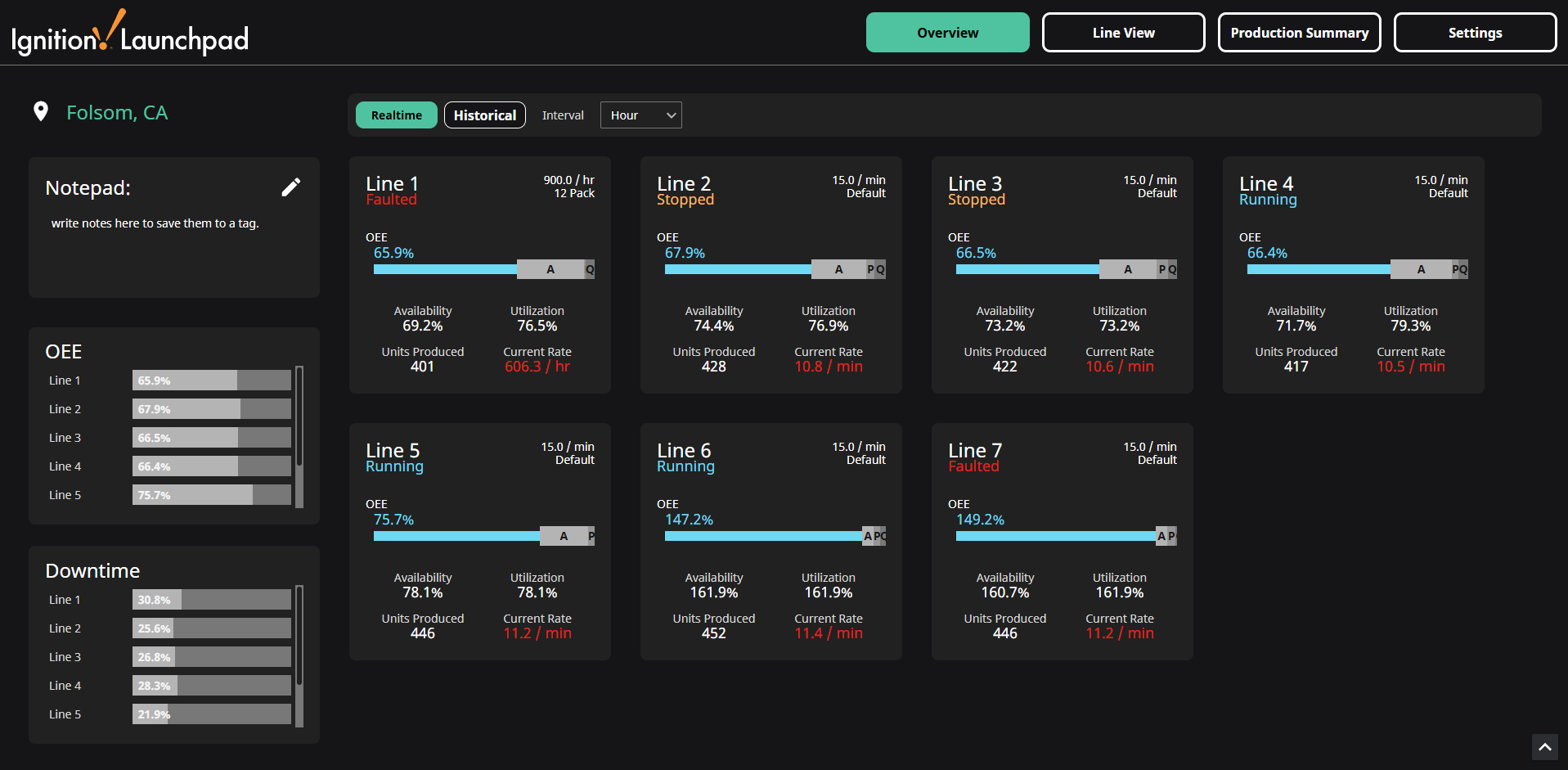
The Overview screen displays OEE values on a Line Card for each line, and compares each line's OEE and Downtime percentages with Bar Charts on the left-hand side. The OEE values displayed on the main page area can be toggled between Realtime and Historical using the buttons at the top of the page. Each Line Card displays the OEE values, status, current rate and production count. Hovering over a Line Card displays a tooltip with the OEE, Availability, Performance, and Quality values. Clicking on a card navigates to the Line View with that line selected.
Line View
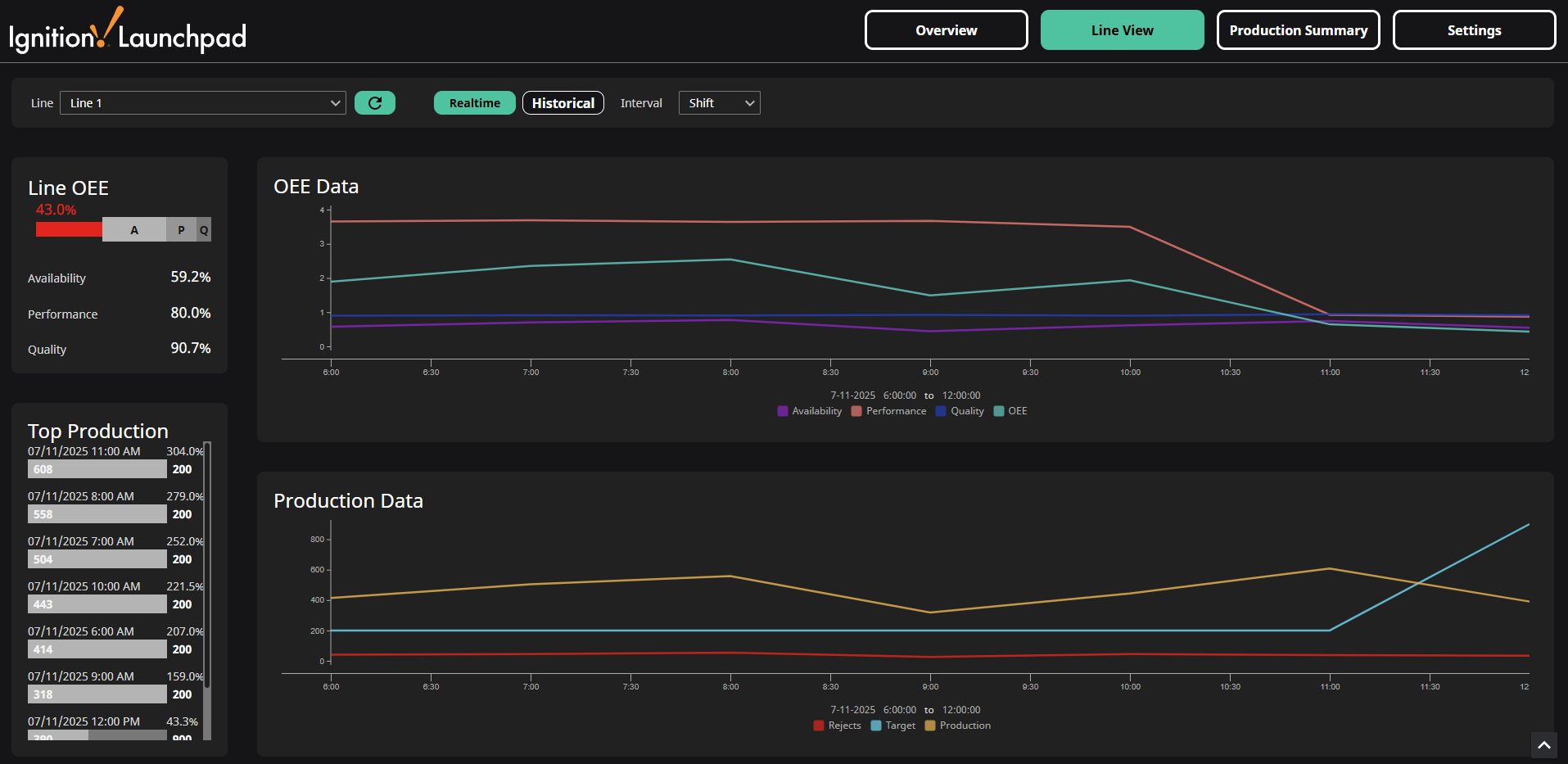
The Line View screen shows hourly trending data for the selected line, along with an hourly Bar Chart showing the most productive hours in the selected time period. The OEE values displayed on this page can be toggled between Realtime and Historical using the buttons at the top of the page.
Production Summary
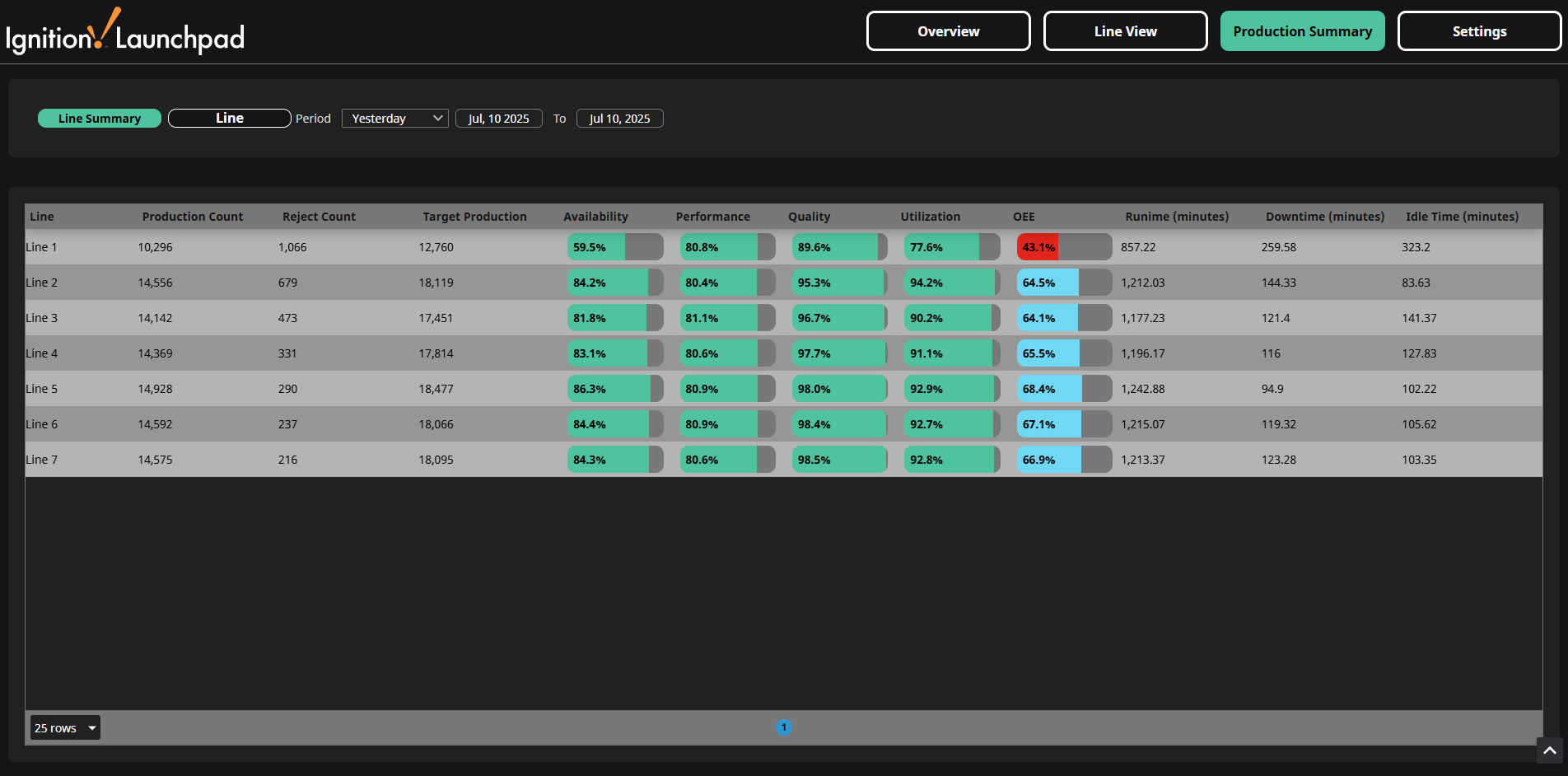
The Production Summary screen displays tabular historical data for one line or all lines, and can be summarized by line or hourly data.
Settings
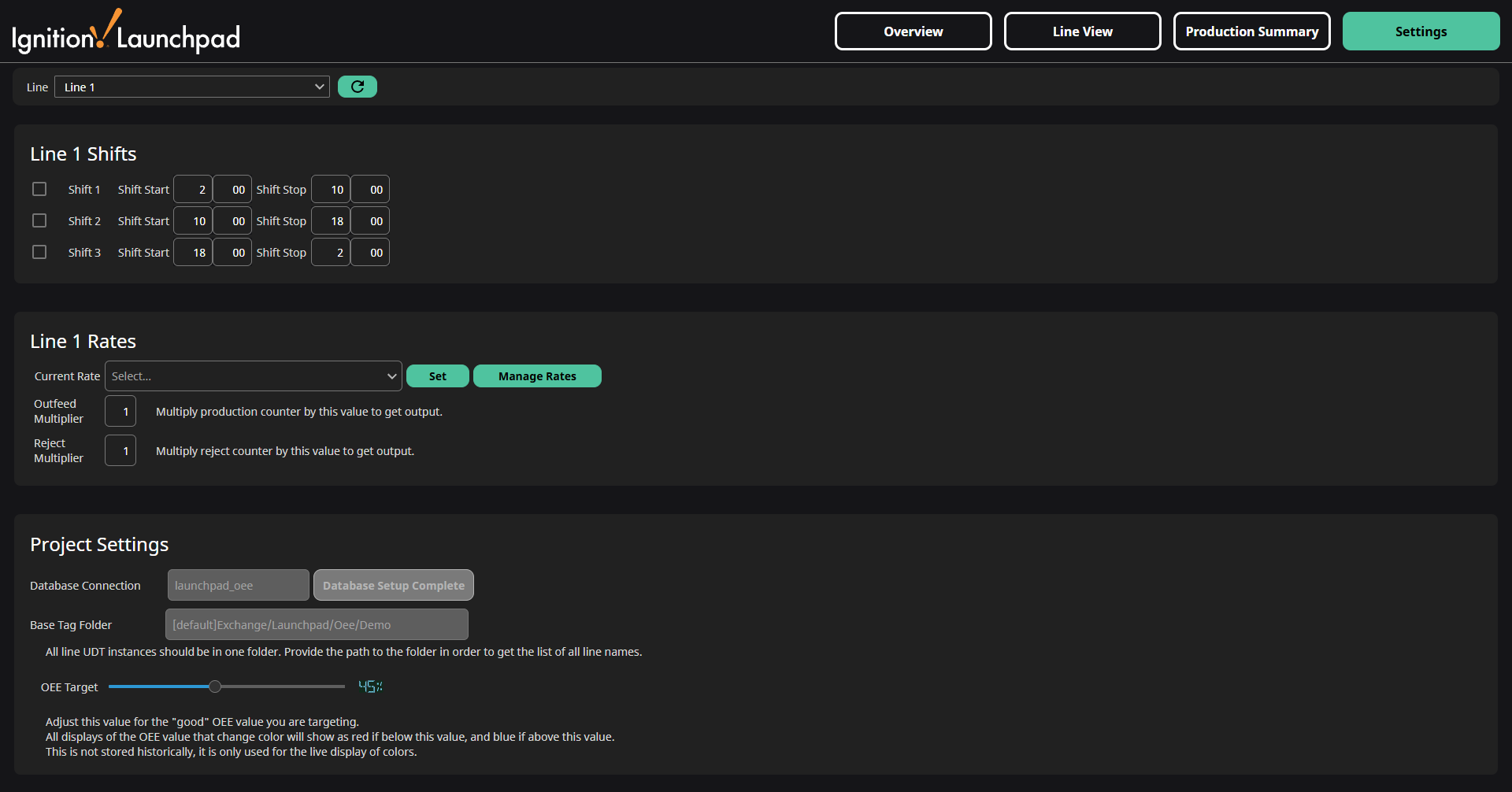
The Settings screen allows you to control the settings for each line, such as the shift schedule, line production rate, and reject and outfeed multipliers.